
Insights · Tools
How to Open an SKP File Without SketchUp
To open a .skp file without SketchUp, drop it into DesignDenzi Render Studio — a free viewer and renderer that runs in your web browser. The file is read on your own computer and never uploaded. It opens most files saved in SketchUp 2013 to 2025, lets you orbit the model, light it with a real sun and save a rendered image, and can convert the .skp to a COLLADA (.dae) file that other 3D software opens.
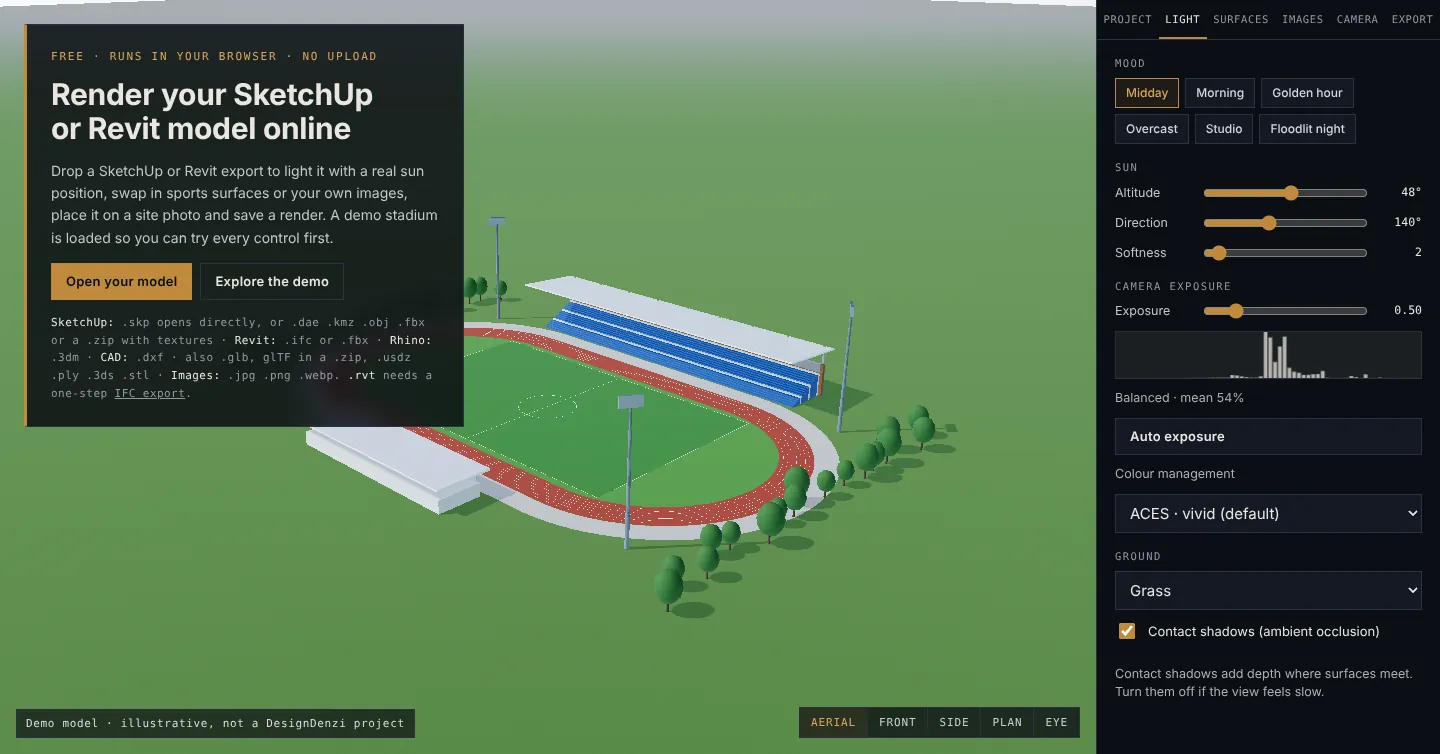
Step by step
- Open Render Studio in a desktop browser. A demo model loads so you can try the controls first.
- Choose Open your model, or drag the .skp onto the page.
- Wait while your browser reads the file. Large models with many components and textures take longer.
- Orbit the model and use the view buttons — Aerial, Front, Side, Plan and Eye level.
- In the Light tab, pick a mood (midday, morning, golden hour, overcast, studio or floodlit night) or set the sun’s altitude and direction.
- Use Surfaces to swap a material for a sports finish or your own image, and Images to put the model on a site photo.
- Save a rendered image from the Export tab.
Because the file never leaves your computer, nothing is stored on our servers: close the tab and the model is gone.
If the .skp does not open
Render Studio reads .skp files with OpenSKP, an independent open-source reader that is not made by Trimble. It reads most files from SketchUp 2013 to 2025, but some versions — 2019 in particular — do not open yet. For those, export from SketchUp as COLLADA:
- In SketchUp, choose File → Export → 3D Model and pick COLLADA File (*.dae), with texture maps switched on.
- SketchUp writes the .dae and a texture folder of the same name. Select both and compress them into one .zip.
- Drop the .zip into Render Studio.
If you do not have SketchUp to hand, send the .skp to our studio on WhatsApp and we will look at it.
Convert SKP to DAE
Open the .skp in Render Studio, then choose Project → Download as .dae. You get a COLLADA file in metres with Z up, plus a texture folder in a .zip when the model has textures. It opens in SketchUp, Blender, 3ds Max, Lumion and most other 3D software.
Revit and other formats
Revit .rvt is a closed Autodesk format that only Autodesk software reads. Export the model from Revit as IFC (File → Export → IFC) and drop the .ifc into Render Studio; FBX exports from a 3D view also work. Render Studio also opens Rhino .3dm, ASCII .dxf, glTF and .glb, USDZ, PLY, .dae, .kmz, .obj, .fbx, .3ds and .stl.
Other ways to open a .skp
- SketchUp desktop — opens every .skp, subject to version: a file saved in a newer SketchUp may need saving back to an older version.
- SketchUp for Web — Trimble’s browser version; it saves models in Trimble Connect by default.
- Render Studio — no installation and no upload, with lighting, sports finishes, site photos and image export built in.
Sources
Steps checked against these pages on 19 Oct 2026. Where a figure is our own arithmetic from published values, the text says so.
RelatedRender Studio · How Conceptual 3D Helps Plan a Sports Facility · 3D Sports Architecture · Projects